
← Settings
Temporarily Lock a Card
Wallet > Select card > Settings icon > Card Management_Card Activation (Temporary Lock) > Turn off activation
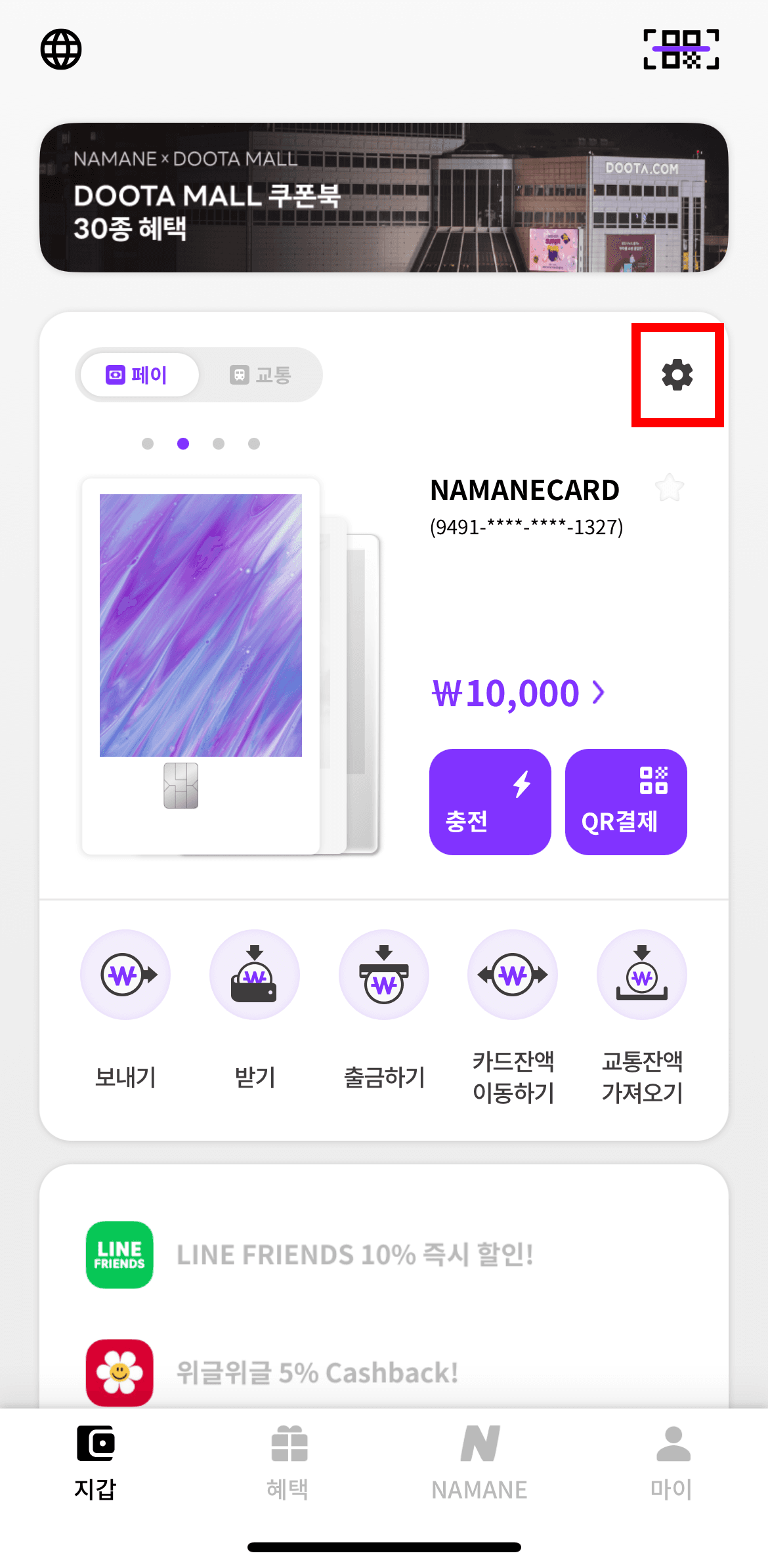
Tap 'Wallet' to go to the Wallet page.
Select the card you want to activate or temporarily lock.
Tap the gear icon in the top right.
In the 'Card Management' menu, tap 'Card Activation (Temporary Lock)'. (Off = active, On = temporarily locked)
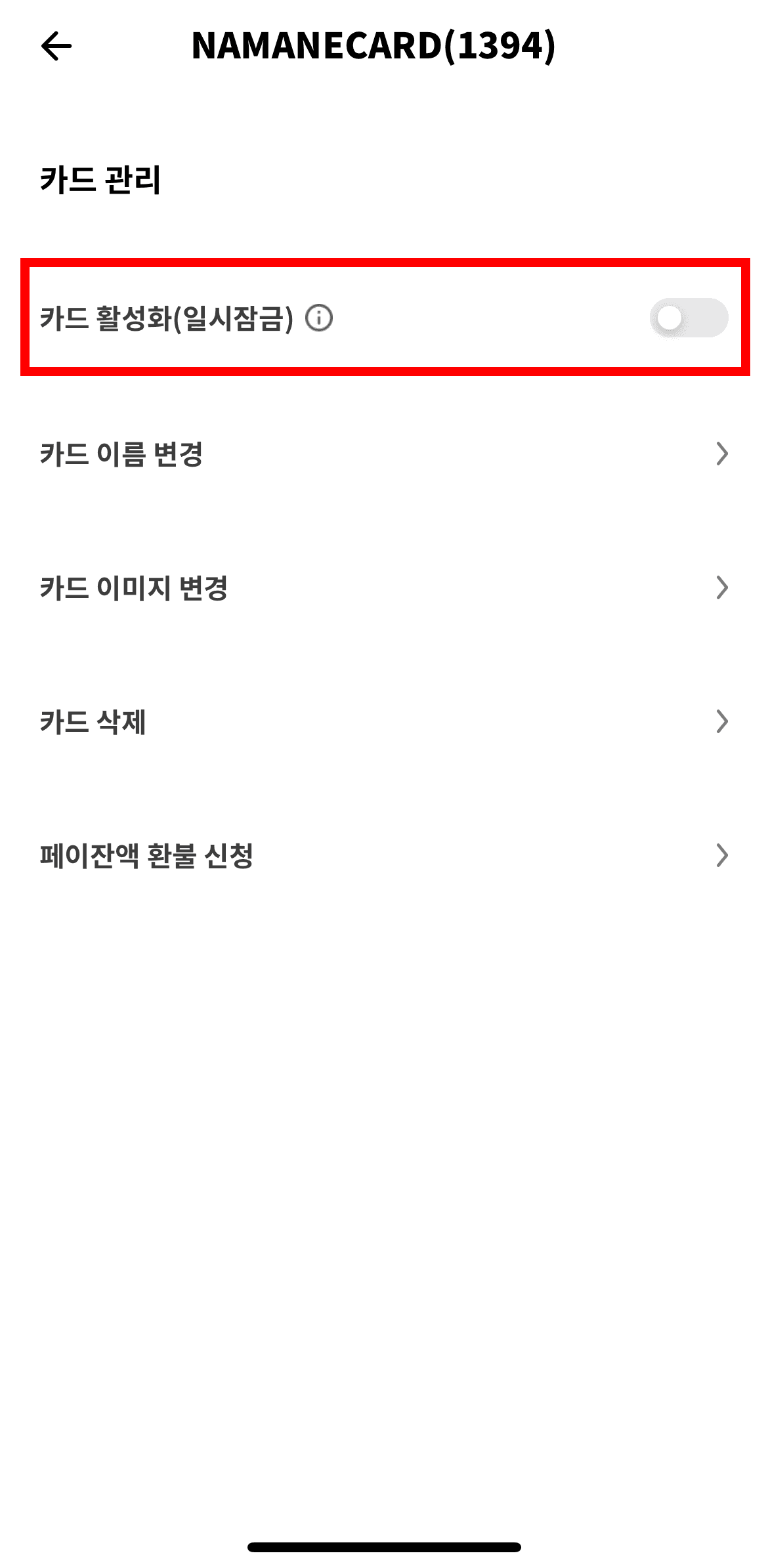
Tap the lock toggle and enter your security password to temporarily lock the card.
Tap the toggle again and enter your security password to release the temporary lock.
Notes
- ※ Temporarily locking a card applies only to the Pay balance — the transit balance cannot be locked in the NAMANE app. For the transit balance, please contact the Railplus customer center (1544-7788, extension 5).
- ※ While a card is temporarily locked, Pay card payments and top-ups aren't possible, but you can still top up and use the transit card offline.
- ※ If you've permanently lost your card, please use the 'Card cancellation' feature instead.
- ※ You can unlock a temporarily locked card at any time; once unlocked, the card works the same as before it was locked.
- ※ If you temporarily lock your primary card, the next registered card is automatically set as the primary card.
- ※ You can change your primary card by tapping the '★' button on the home screen.