
← Coupons
Register a Coupon
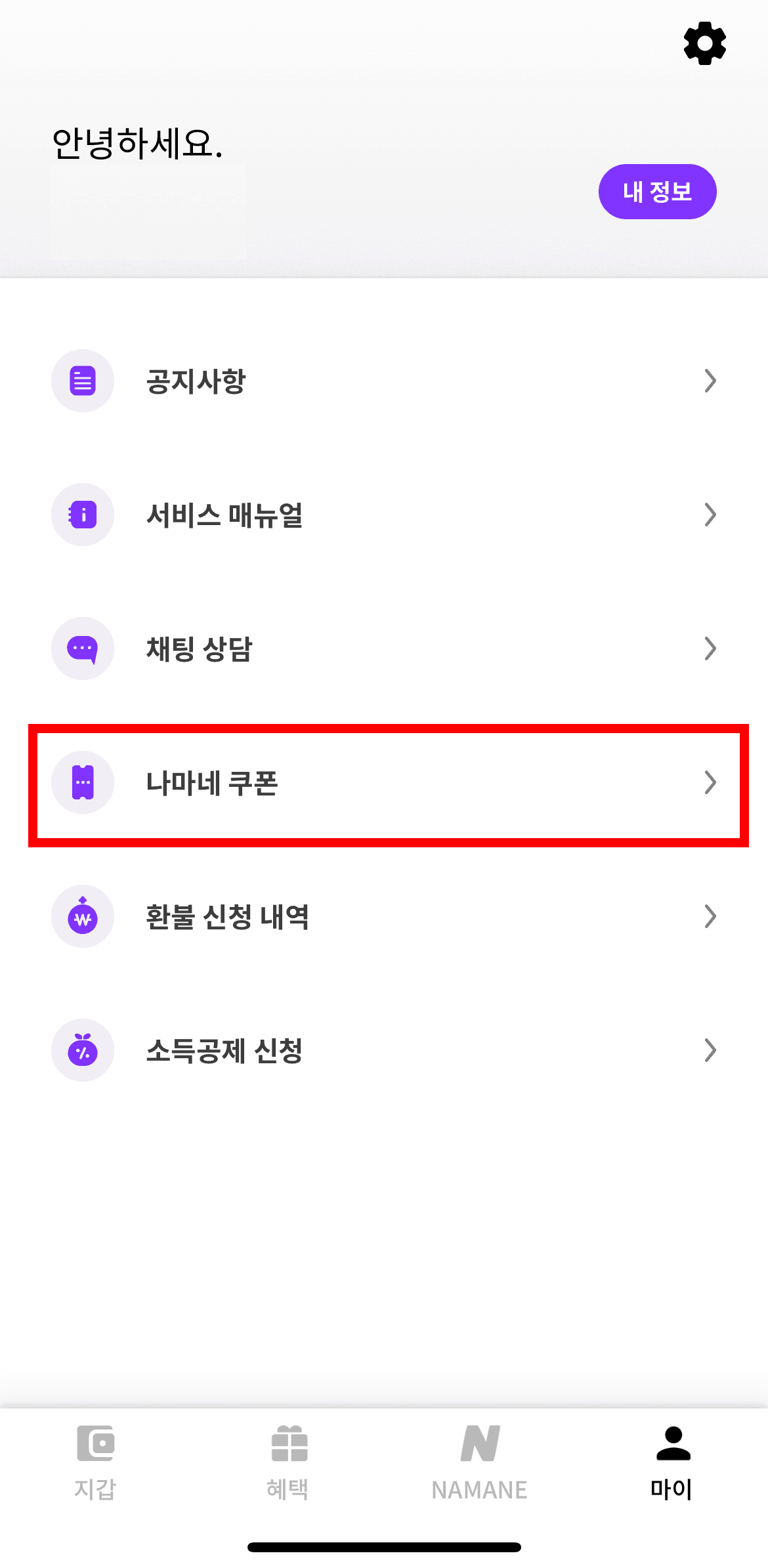
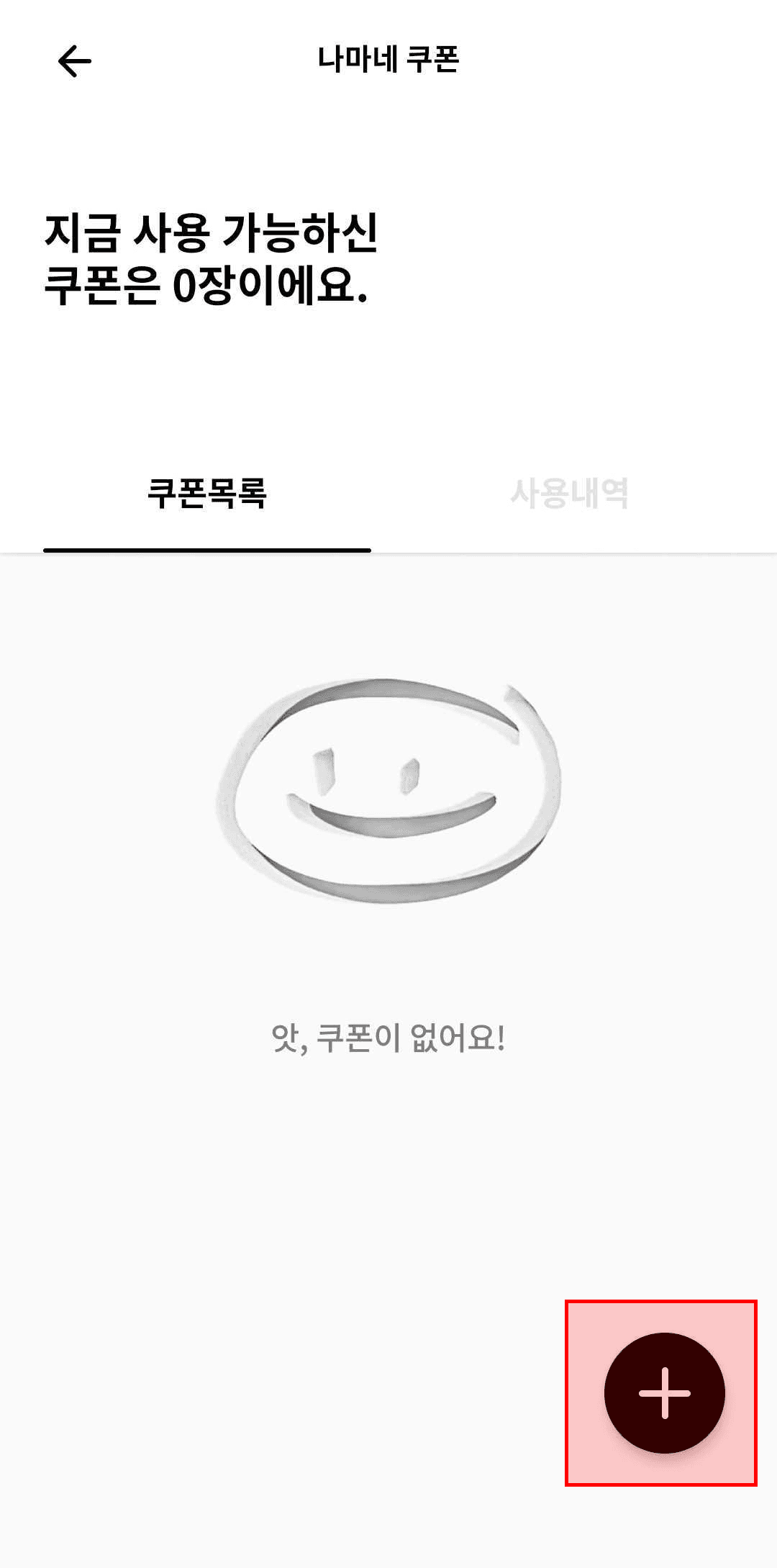
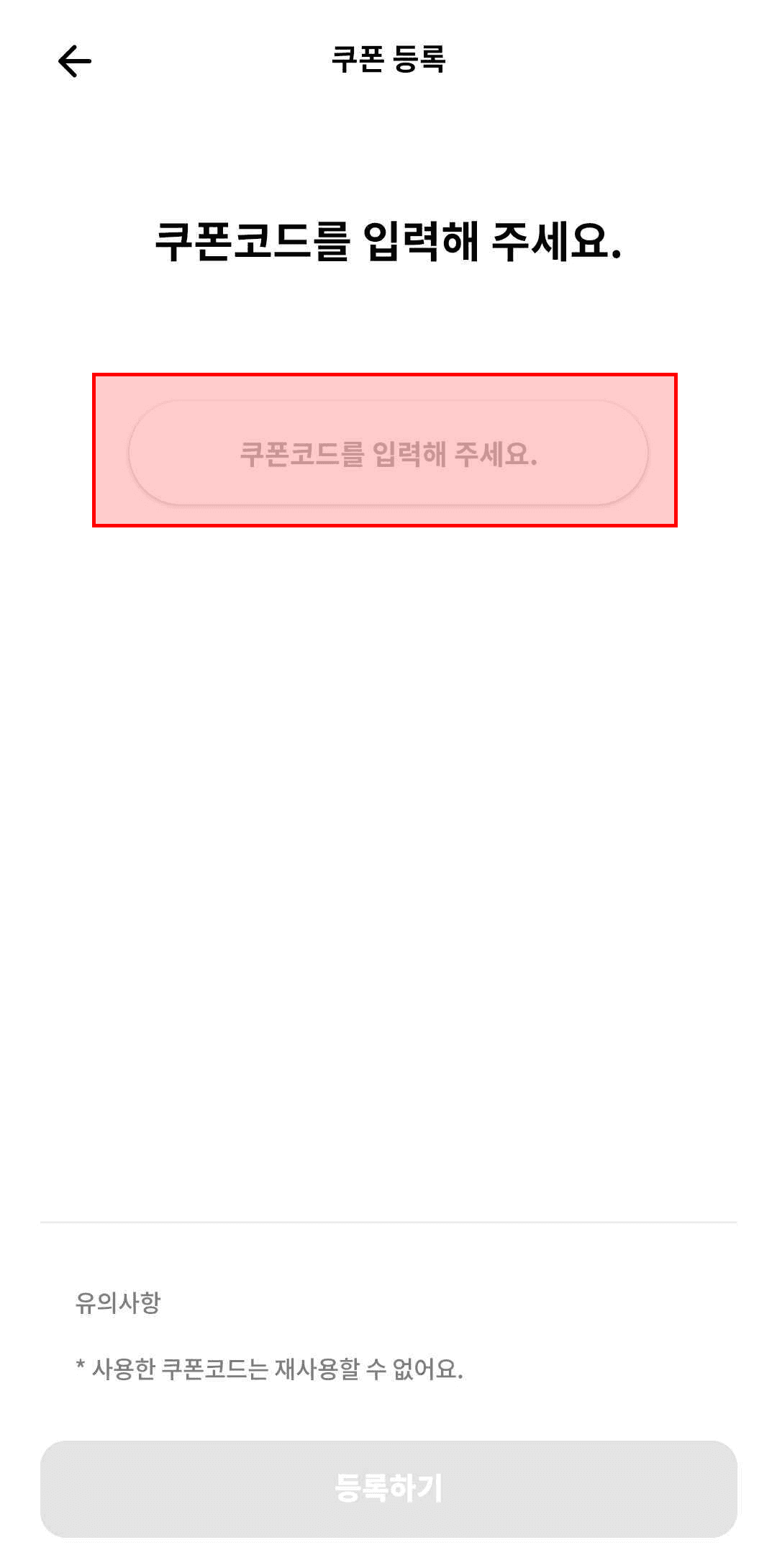
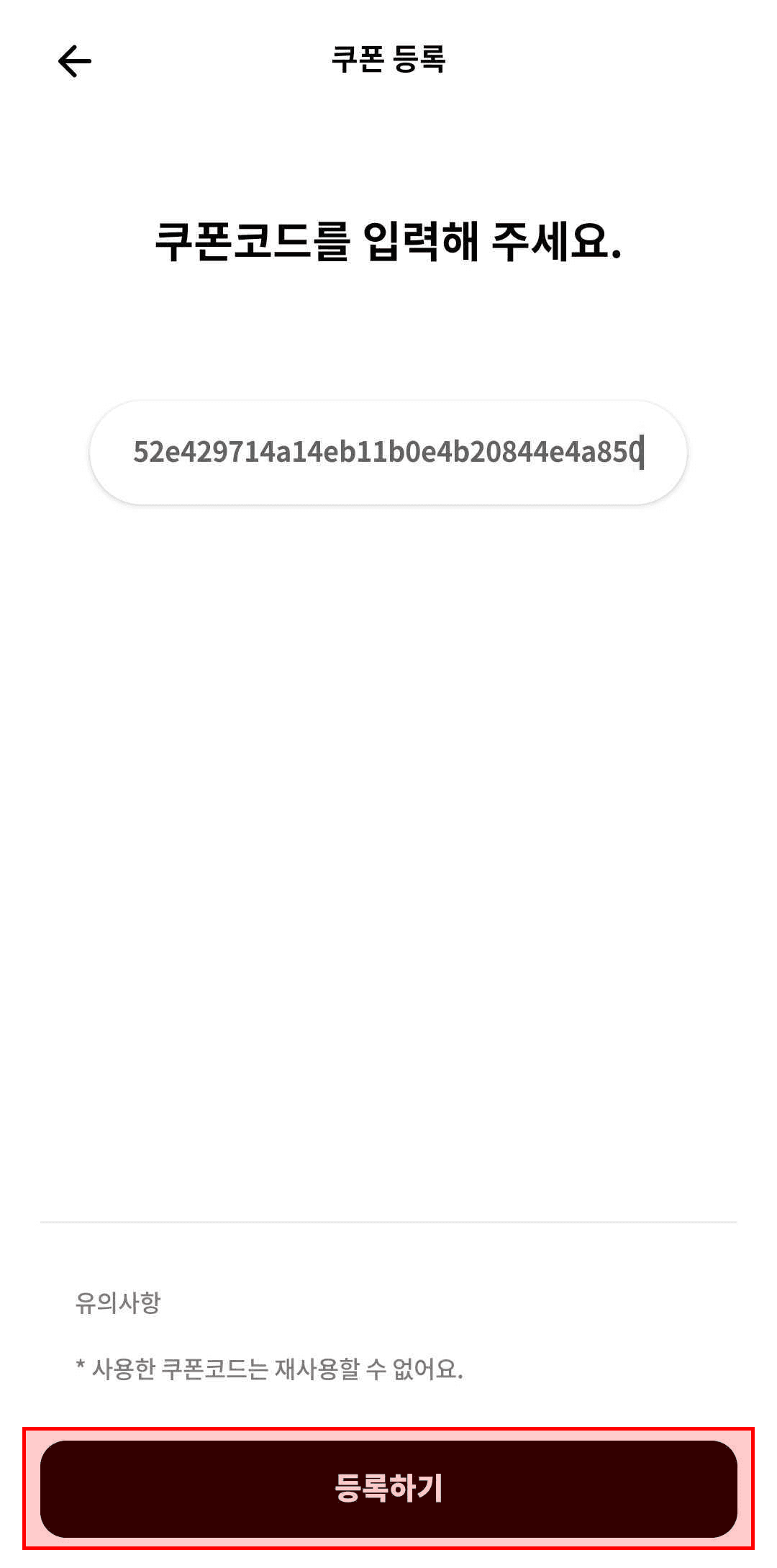
MY > 'NAMANE Coupon' > '+' button > Enter coupon code > Register
Tap 'MY' to go to the MY page, then tap 'NAMANE Coupon'.
On the coupon list screen, tap the '+' button.
Enter the coupon code.
Tap 'Register' to complete the coupon registration.
Notes
- ※ Once a coupon is registered, you can use it to top up.
- ※ A used coupon can't be restored.
- ※ A coupon deleted after registration also can't be restored.
- ※ Only one coupon can be applied per payment.
- ※ A coupon can't be split across multiple uses.
- ※ If used for a payment less than the coupon's value, the remaining balance is not refunded.