
← Using the App
Move Pay Balance Between Cards
How to move the Pay balance from one card to another when you have 2 or more cards registered.
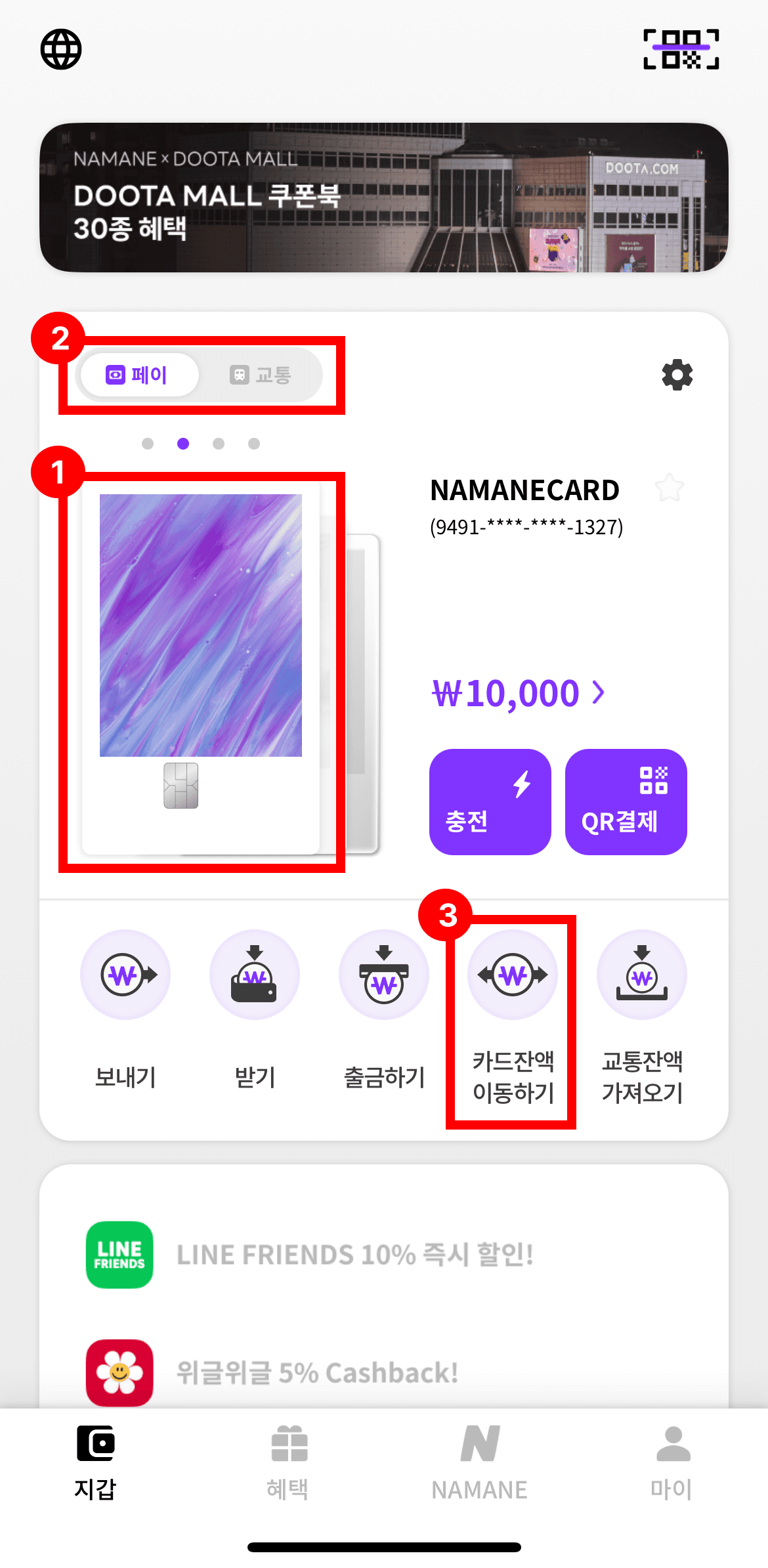
Select the card you want to move the balance from, then tap 'Move card balance'.
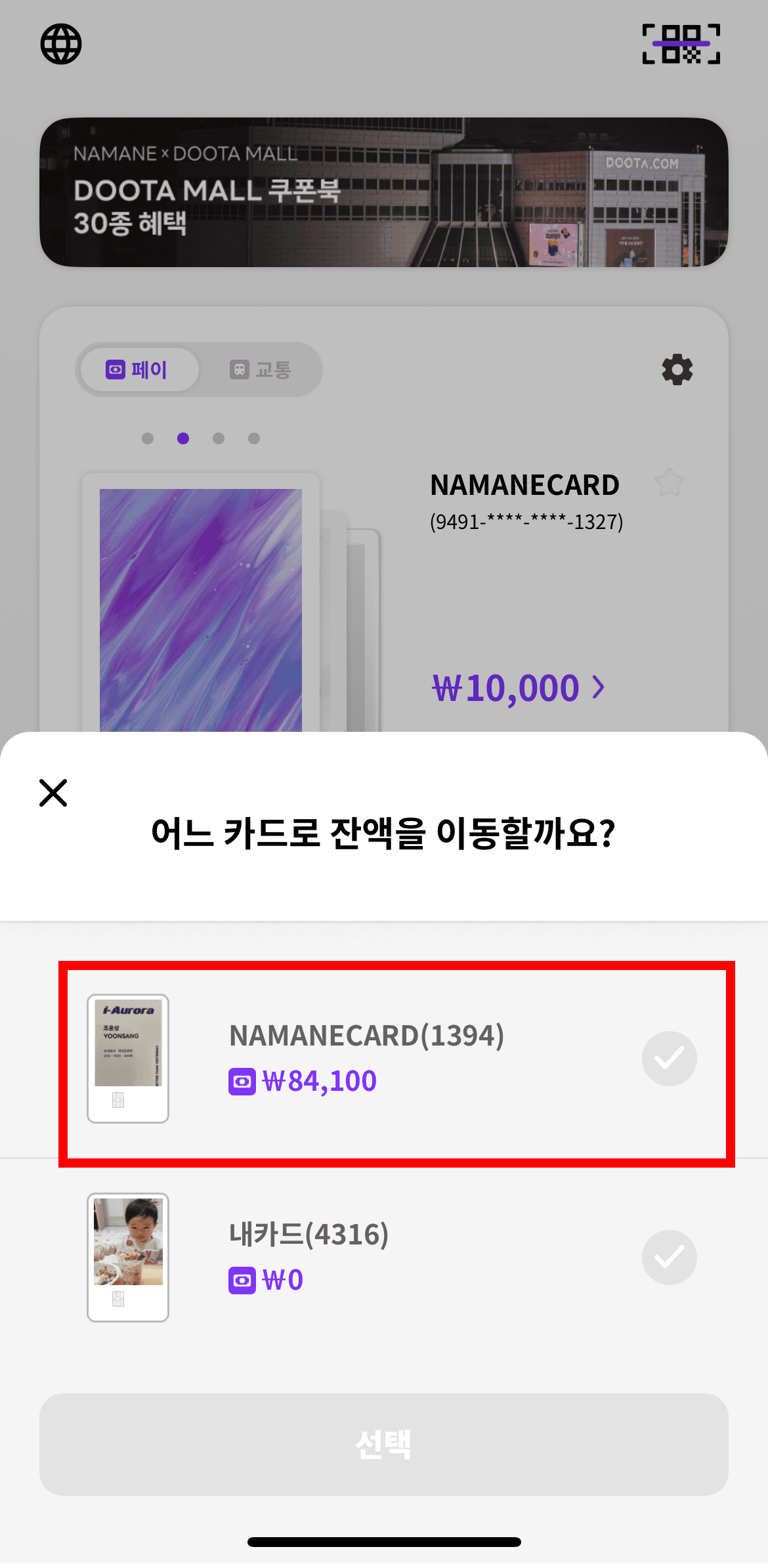
Select the card to move the amount to.
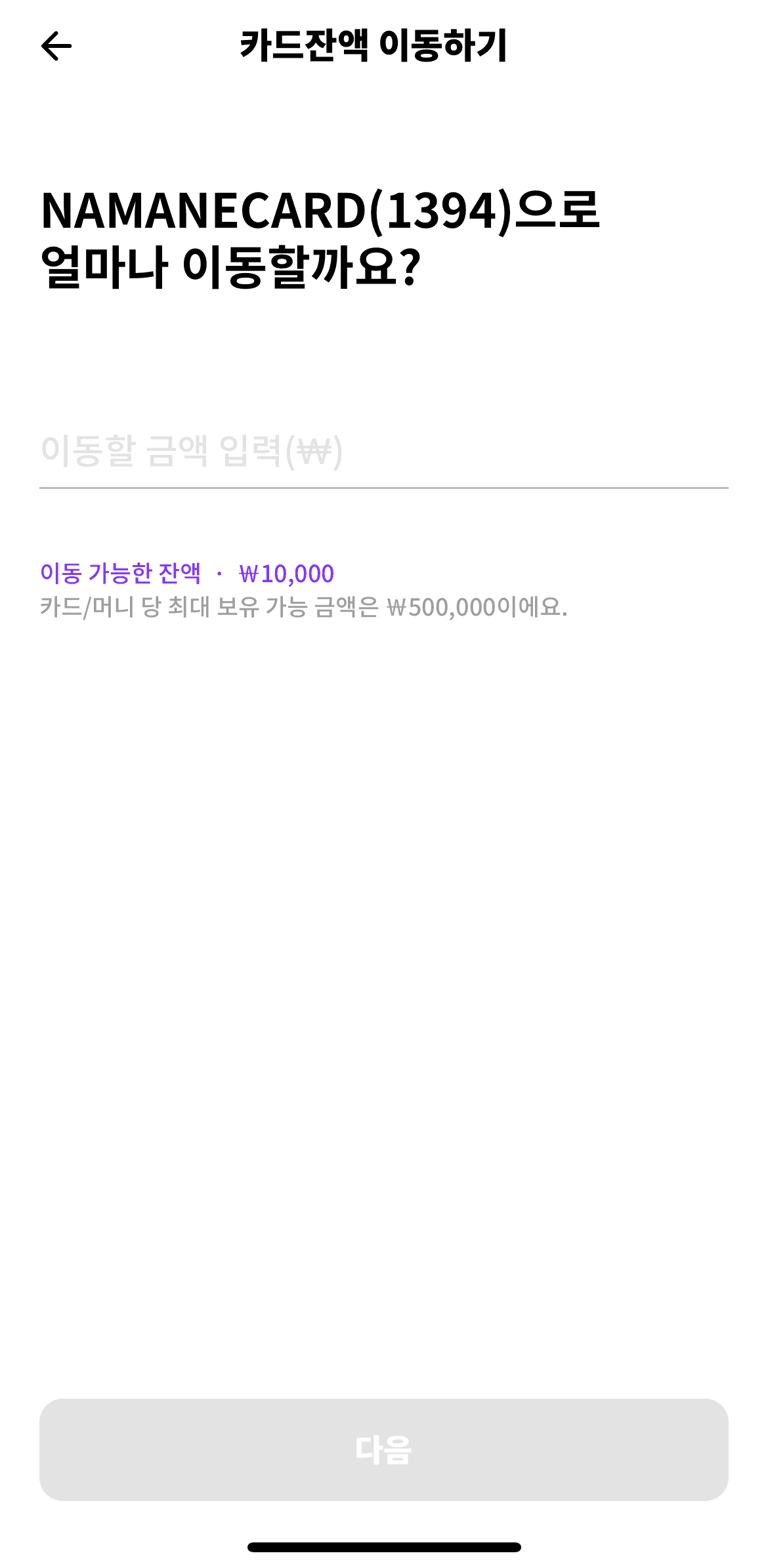
Enter the amount to move, then tap 'Yes, move it!'.
Enter your password to complete the transfer.

Notes
- ※ You need 2 or more registered cards to move a balance.
- ※ The card you're moving the balance from must have a balance to set a transfer amount.
- ※ Only the Pay balance of a NAMANE Card can be moved.
- ※ The password is the same one you use to log in.