
[Important] The Right Way to Top Up Your NAMANE Card PAY Balance at CU 💳
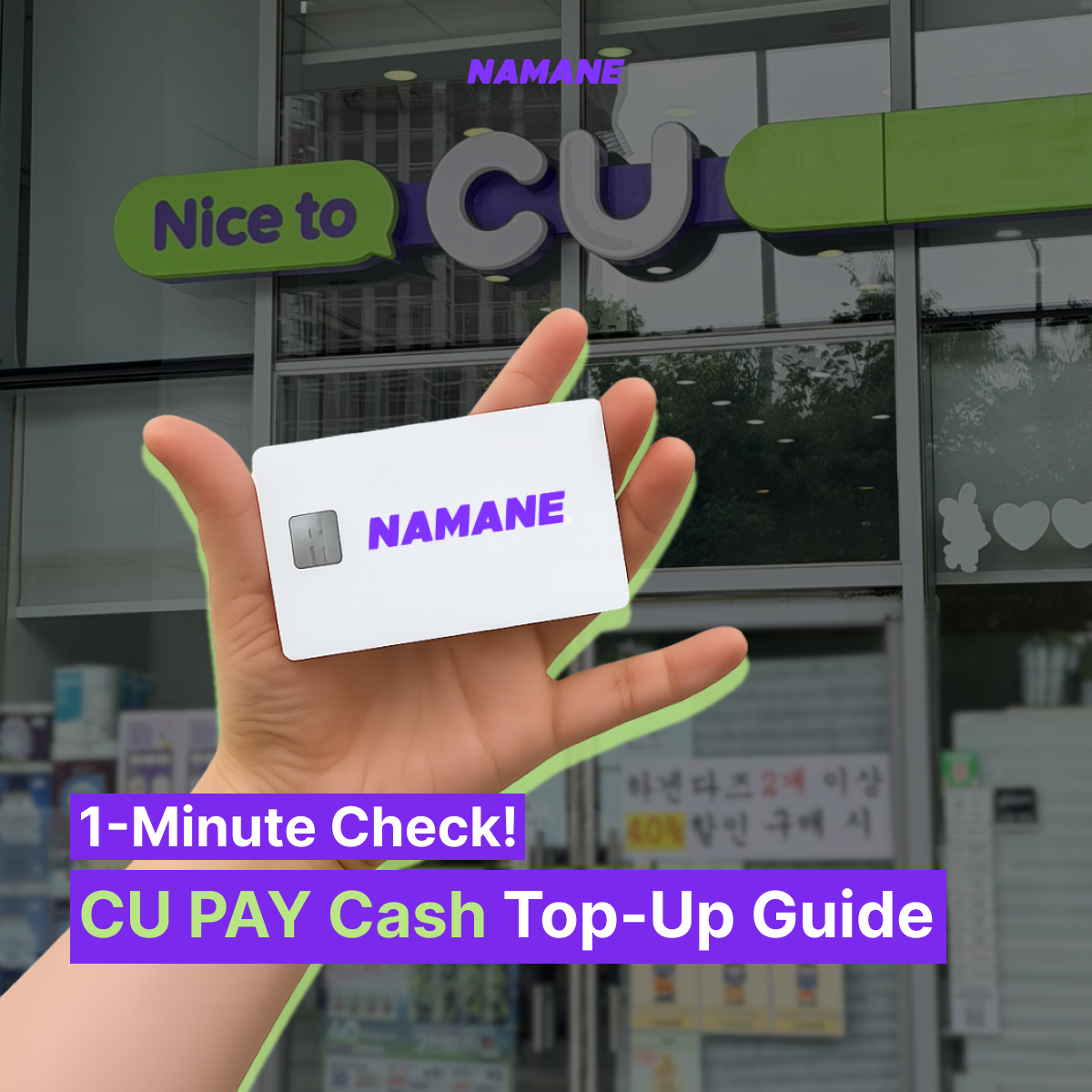
The Right Way to Top Up
Your NAMANE Card PAY Balance at CU 💳
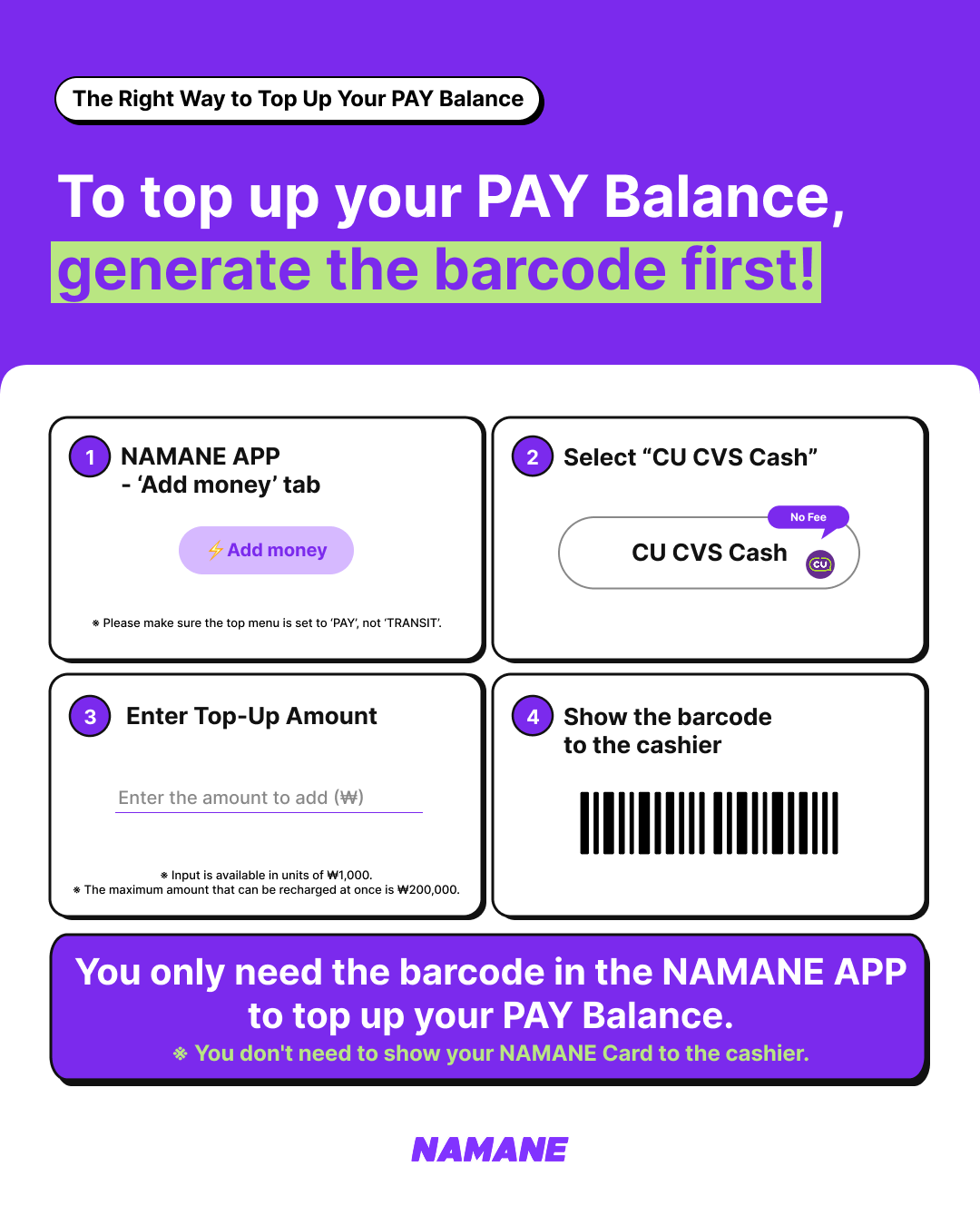
1️⃣ Open the NAMANE APP → Add money tab
2️⃣ Select "CU CVS Cash"
3️⃣ Enter the top-up amount
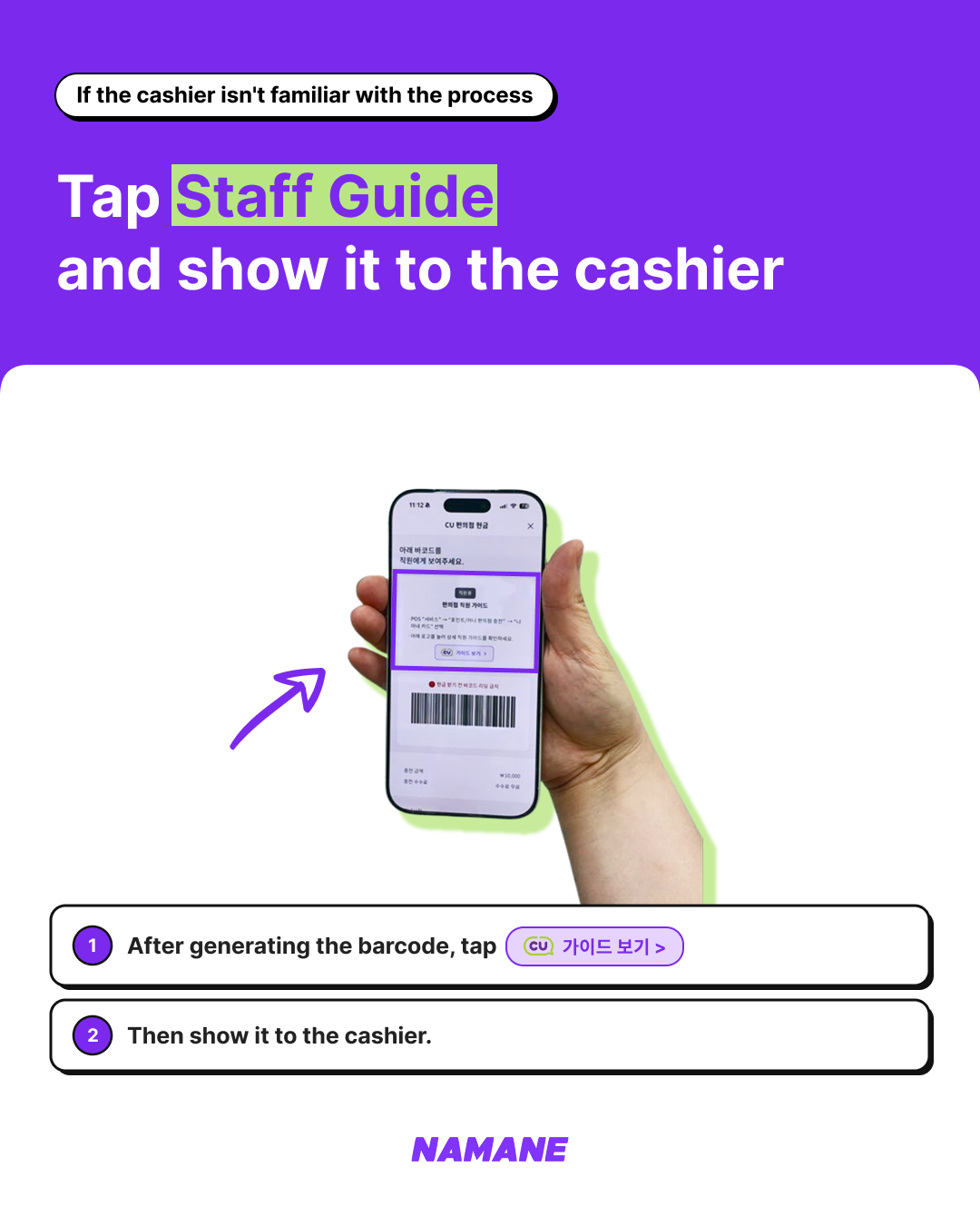
4️⃣ Show the barcode to the cashier and pay with cash
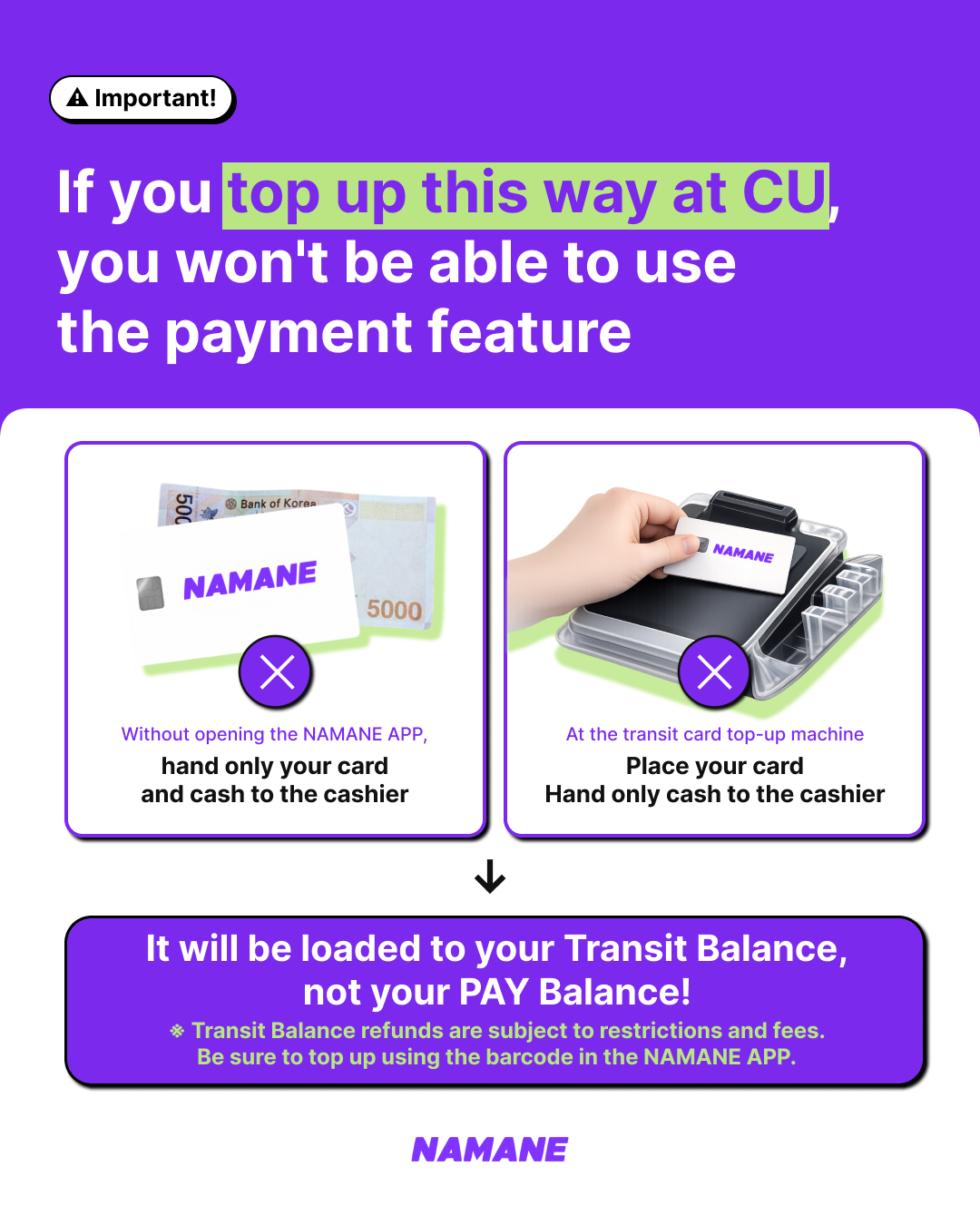
⚠️ Don't top up like this!
❌ Hand only your card and cash to the cashier without generating a barcode in the NAMANE APP.
❌ Place your card on the transit card top-up machine and hand only cash to the cashier.
If you top up this way, your money will be added to your Transit Balance, not your PAY Balance. Transit Balance refunds are subject to restrictions and service fees, so be sure to generate a barcode in the NAMANE APP before topping up.
Save this tip and enjoy using your NAMANE Card more conveniently! 💜
LikeBack to notices
Comments
- No comments yet.